How to Check Vehicle RC Details Online
How to check a vehicle's RC details online in India on Vahan and mParivahan, what the record shows, and the hypothecation entry to check before buying used.

Lokesh R
CEO of Trucks India
Created 5 September 2026 · 6 min read
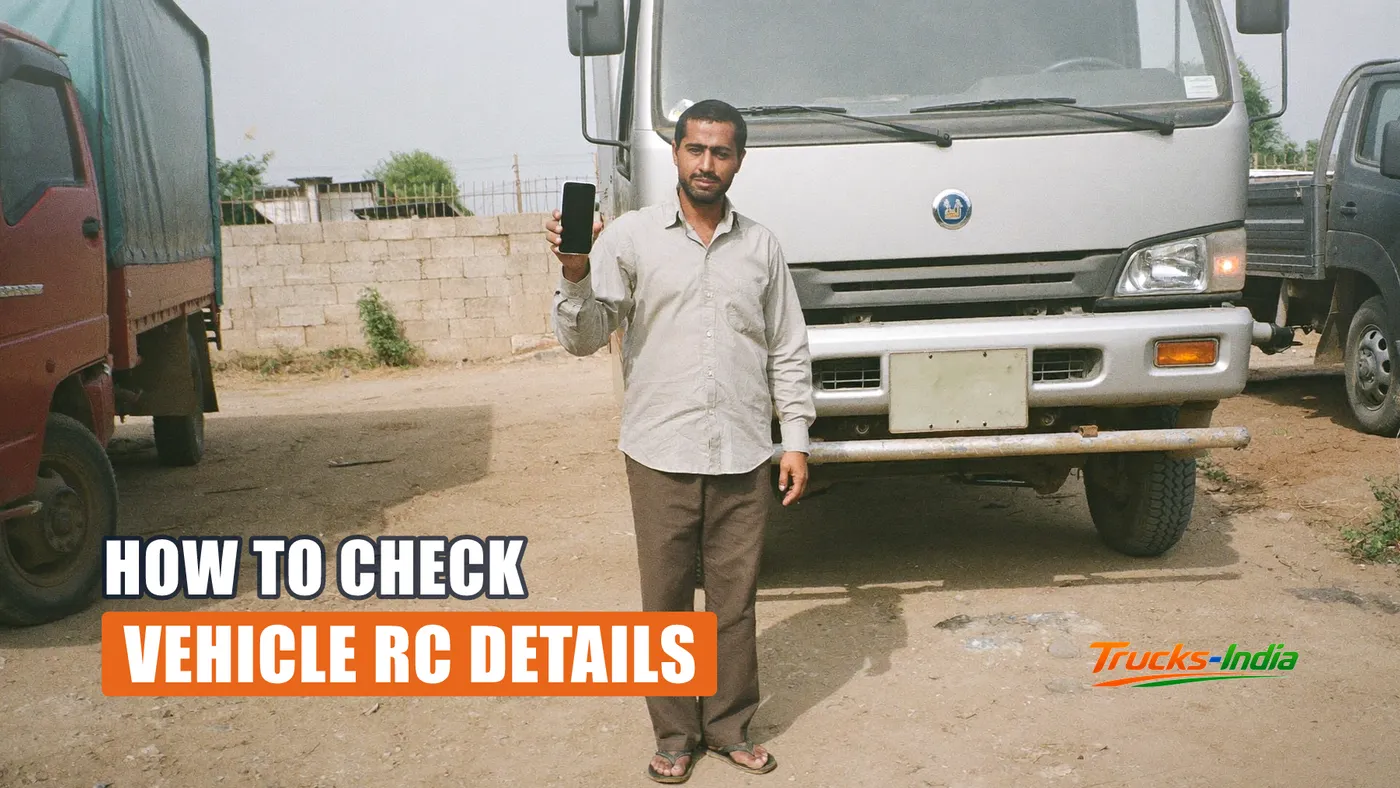
Before you pay for a used truck, you can find out most of what matters about it from the registration number alone. Owner name, registration date, chassis and engine numbers, fuel type, emission norm, insurance validity, fitness validity, PUC status, and crucially whether a bank still has a claim on it.
It takes two minutes on a government portal and it is free. People skip it, pay an advance, and discover the hypothecation afterwards.
Where the record lives
Vehicle registration data in India sits in Vahan, the national register maintained by the Ministry of Road Transport and Highways. Every RTO writes to it, which is why a vehicle registered in one state can be checked from another.
You can read it three ways.
The Vahan citizen services portal, which is the fullest public view.
The mParivahan app, which is the same data on a phone and the practical choice when you are standing next to the vehicle.
DigiLocker, if the document belongs to you, where the RC can be held as a valid digital document. That is the version an officer is expected to accept at a check post, as the documents guide explains.
Third party websites also show this data. They are convenient and they are not the source. For anything you are about to pay money against, use the government portal.
How to check
- Open mParivahan or the Vahan citizen services portal.
- Choose the option to search vehicle details by registration number.
- Enter the number, exactly as registered, without spaces or dashes if the field objects.
- Complete the verification step.
- Read the record.
For your own vehicle you can see more, including the full owner details, once the vehicle is linked to your account. For somebody else's vehicle the public view masks parts of the personal information, which is the intended behaviour rather than a fault.
What the record tells you
The useful fields, and what each one is actually for.
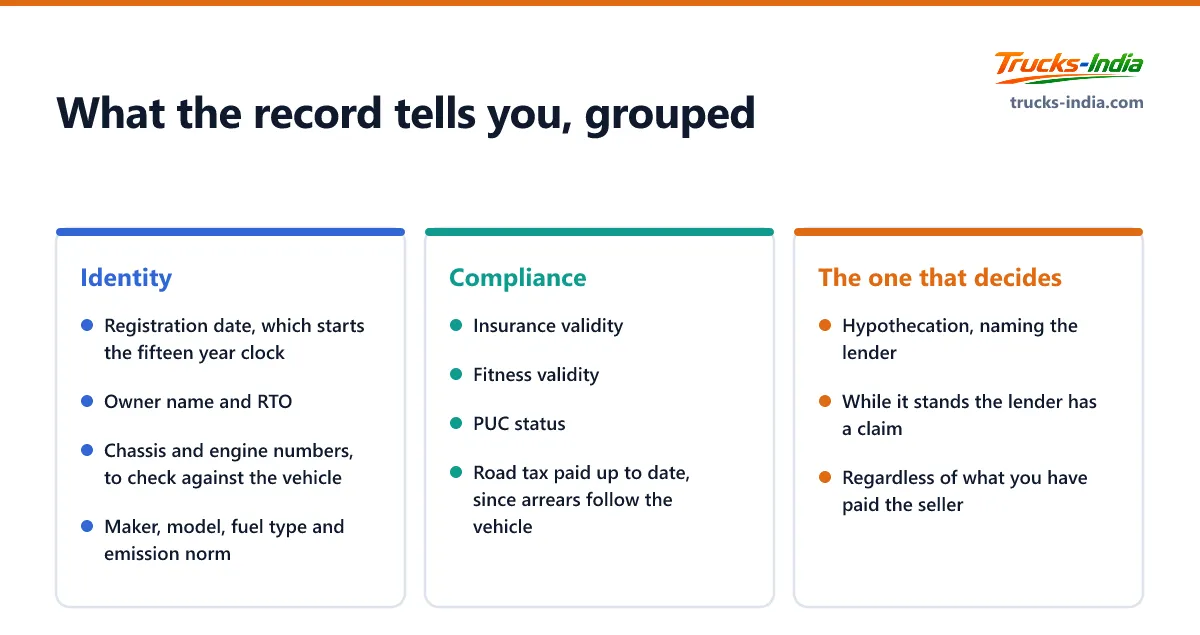
Registration date. Not the model year. This is the date the fifteen year clock runs from, and it decides when the vehicle faces the harder test covered in the scrappage guide.
Owner name and RTO. Check it matches the person selling you the vehicle. A seller who is not the registered owner is a situation to understand fully before proceeding.
Chassis and engine numbers. Partially masked in the public view, but enough to verify against the plates on the vehicle. They should match. If they do not, stop.
Maker, model and fuel type. Confirms the vehicle is what the advertisement said.
Emission norm. BS4 or BS6, which affects running cost, resale and where the vehicle can work, as the BS6 guide covers.
Insurance validity. A lapsed policy is a negotiating point and a warning about how the vehicle has been kept.
Fitness validity. For a transport vehicle this is the date that decides whether it can legally work next week.
PUC status. Cheap to fix, but a lapsed one alongside lapsed fitness tells you something about the owner.
Tax status. Whether road tax is paid up to date. Arrears follow the vehicle.
The field that matters most when buying
Hypothecation.
If a lender financed the vehicle, the record carries a hypothecation entry naming them. While that entry stands, the lender has a claim on the vehicle regardless of what the seller tells you and regardless of what you have paid.
Two rules, and neither is negotiable.
Do not pay in full against a promise to remove it later. The removal requires a no objection certificate from the lender and a formal application, and it is the seller's job, not yours.
Check the record again after the seller says it is done. The entry either shows as removed or it does not. A photograph of an NOC is not the same as a clean record.
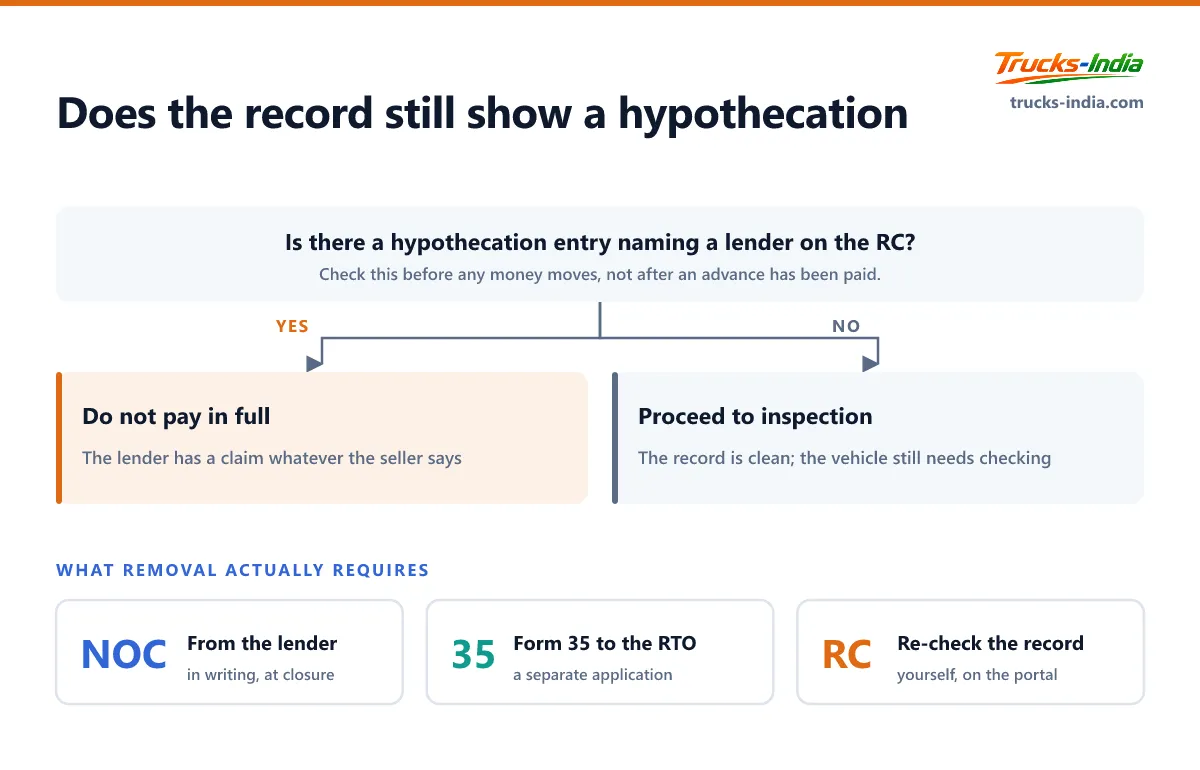
The loan side of it, including the no objection certificate the lender must issue and the Form 35 application that follows, is in the foreclosure guide.
Check the challans at the same time
The RC record and the challan record are separate lookups on the same portal. Do both in the same sitting.
Unpaid challans follow the vehicle, not the person who earned them, and they commonly block transfer of ownership. Discovering them after you have paid an advance makes them your problem to clear. The challan guide covers how.
Where the online check stops
Be clear about what this does not tell you.
It does not tell you the true condition of the vehicle, its accident history, whether the chassis has been repaired, or how it was driven. Those require an inspection and a mechanic standing next to the truck.
It does not tell you the actual kilometres run, since the odometer is not in the record.
And it does not settle disputes about ownership beyond showing who is registered. A registered owner and a legal owner can differ, for instance where a vehicle has changed hands informally without a transfer, which is a situation to resolve before money moves rather than after.
Treat the online record as the first filter. It is very good at telling you which vehicles not to bother inspecting.
Trucks to compare
A few popular trucks on Trucks India, with ex-showroom price and rated payload. Open one for its full price, specifications and mileage.
Browse more: Mini trucks, Light commercial vehicles, Heavy trucks, Ashok Leyland trucks, Mahindra trucks, Force Motors trucks, Tata Motors trucks
Frequently asked questions
Use the Vahan citizen services portal or the mParivahan app, choose the option to search by registration number, enter the number and complete the verification step. The record shows registration date, owner, maker and model, fuel type, emission norm, and the validity of insurance, fitness and PUC.
The public view masks parts of the personal information by design. You can see enough to confirm whether the details match what a seller has told you, but full owner details are available only for a vehicle linked to your own account.
It is an entry naming the lender that financed the vehicle. While it stands, the lender has a claim on the truck regardless of what you have paid the seller. Never pay in full against a promise to remove it later, and re-check the record yourself once the seller says it has been done.
Yes for your own vehicle's documents, because the record is pulled from the official system. That is different from a photograph or screenshot in your phone gallery, which does not carry the same standing.
The RC record and the challan record on the portal, in the same sitting. Confirm the owner, the chassis and engine numbers against the vehicle, the registration date, the emission norm, the validity of insurance and fitness, the tax position, and above all whether a hypothecation entry is still in place.
No. The odometer reading is not part of the registration record, so mileage has to be established from service history and inspection rather than from the portal.
Where this fits
Checking the record comes before paying anything. See our guide to the used truck buying checklist.
Check the record, then check the model against its class. Trucks India lists payload, mileage and price for every model sold in India.
Call +91 93422 00875About the author
Lokesh R
CEO of Trucks India
Lokesh R is the founder of Trucks India, an independent heavy-vehicle marketplace and research platform operated from Chennai, Tamil Nadu, founded in 2025. Under his direction, Only Heavy publishes specifications and prices sourced from manufacturers, authorised dealer price lists and official regulatory schedules, with every model page checked by a named reviewer, prices re-verified monthly and after any GST revision, and no advertiser able to buy a rating, ranking or comparison result.